Microsoft Teams Room · Zoom Rooms · Design · Integration

Teams Room and Zoom Rooms designed for the type of meeting, not for the catalog.

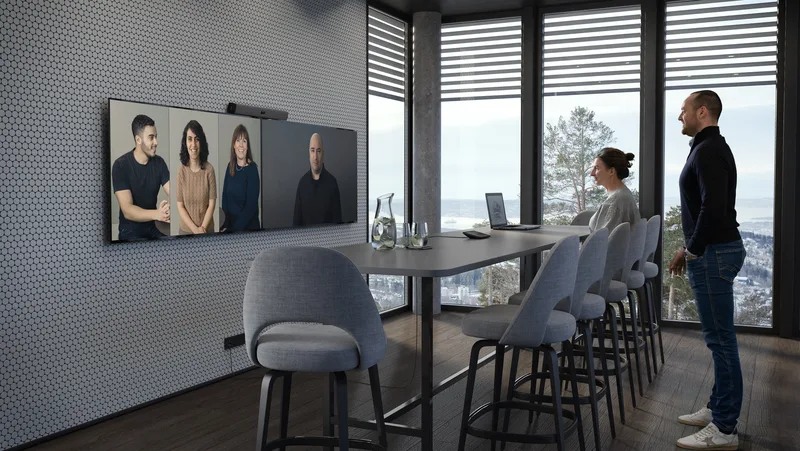
Every room has a different use: management, committee, boardroom, auditorium. We integrate Teams Room and Zoom Rooms with the audio capture, camera, and presentation method that fits each space — not a one-size-fits-all solution.

Microsoft Teams Room Zoom Rooms Ceiling microphones PTZ cameras Wireless presentation Touch interface
The problem

Hardware is not the problem. The wrong configuration for that specific space is.

Hybrid meetings fail because the solution was not designed for that specific room: the microphone does not cover the table, the camera leaves people out of frame, or the controls are so complex that nobody uses them.

Ideal for organizations with

Companies in the Microsoft 365 or Zoom ecosystem that need physical rooms up to the standard of their critical meetings.

  • Management, board, or committee meetings (Teams Room)
  • Auditoriums or multipurpose rooms with Zoom Rooms
  • Rooms that need professional audio and full coverage
  • Hybrid teams with frequent remote participants

Audio that does not cover the room

The laptop microphone or a generic bar does not capture everyone. Remote participants only hear whoever is closest to the device, not the full room.

Fixed camera that cuts people out of frame

In a large room, a fixed camera only captures one end. Participants who move or are seated to the side disappear from the frame during the meeting.

Controls nobody knows how to use

If the room requires connecting cables, switching input sources, or adjusting settings before each meeting, time is wasted and the meeting starts late — or not at all.

Do your meeting rooms have any of these problems?

We evaluate the right configuration for each space. No upfront cost.

Quote meeting room Request room review

Still evaluating? Assess my company's IT maturity →

Portfolio

Teams Room and Zoom Rooms implemented — real configuration by meeting type

Each room has different requirements. Here are the five spaces we designed and integrated — four in Microsoft Teams Room and one in Zoom Rooms — with the technical solution corresponding to each one.

Large room

Operations Management

Interface
Touch panel at center of room
Audio
Ceiling microphones, full table coverage
Audio output
TV display
Video
Auto-tracking camera below TV
Presentation
Via Teams, wireless
Focus
Functional · Simple · Audio coverage
Medium room

Finance Management

Interface
Touch panel at center of room
Audio
Flush-mounted table microphones
Audio output
Stereo speakers
Video
Auto-framing camera below TV
Presentation
HDMI cable on table
Focus
Aesthetic · Functional · Simple
Medium room

Committee Room

Interface
Touch panel at head of room
Audio
Ceiling microphones, full coverage
Audio output
TV display
Video
Auto-tracking camera below TV
Presentation
Via Teams, wireless
Focus
Functional · Simple · Audio coverage
Large room

Boardroom

Interface
Touch panel on side of room
Audio
Table microphones (non-flush)
Audio output
Stereo speakers
Video
Auto-framing camera below TV
Presentation
Multiplatform wireless + retractable HDMI
Focus
Aesthetic · Functional · Simple
Auditorium

Auditorium Room

Interface
Touch panel in control room
Audio
Hand microphones
Audio output
Amplification system with acoustic mixing board
Video
2 PTZ cameras (presenter and audience)
Presentation
Multiplatform wireless
Focus
Functional · Flexible · Audio coverage · Camera control · Multiple screens

Do you need to design one or more Teams Room or Zoom Rooms?

We evaluate your space and recommend the right configuration for each meeting type.

Request room assessment
Real installations

Rooms implemented by Cynersis in Chile

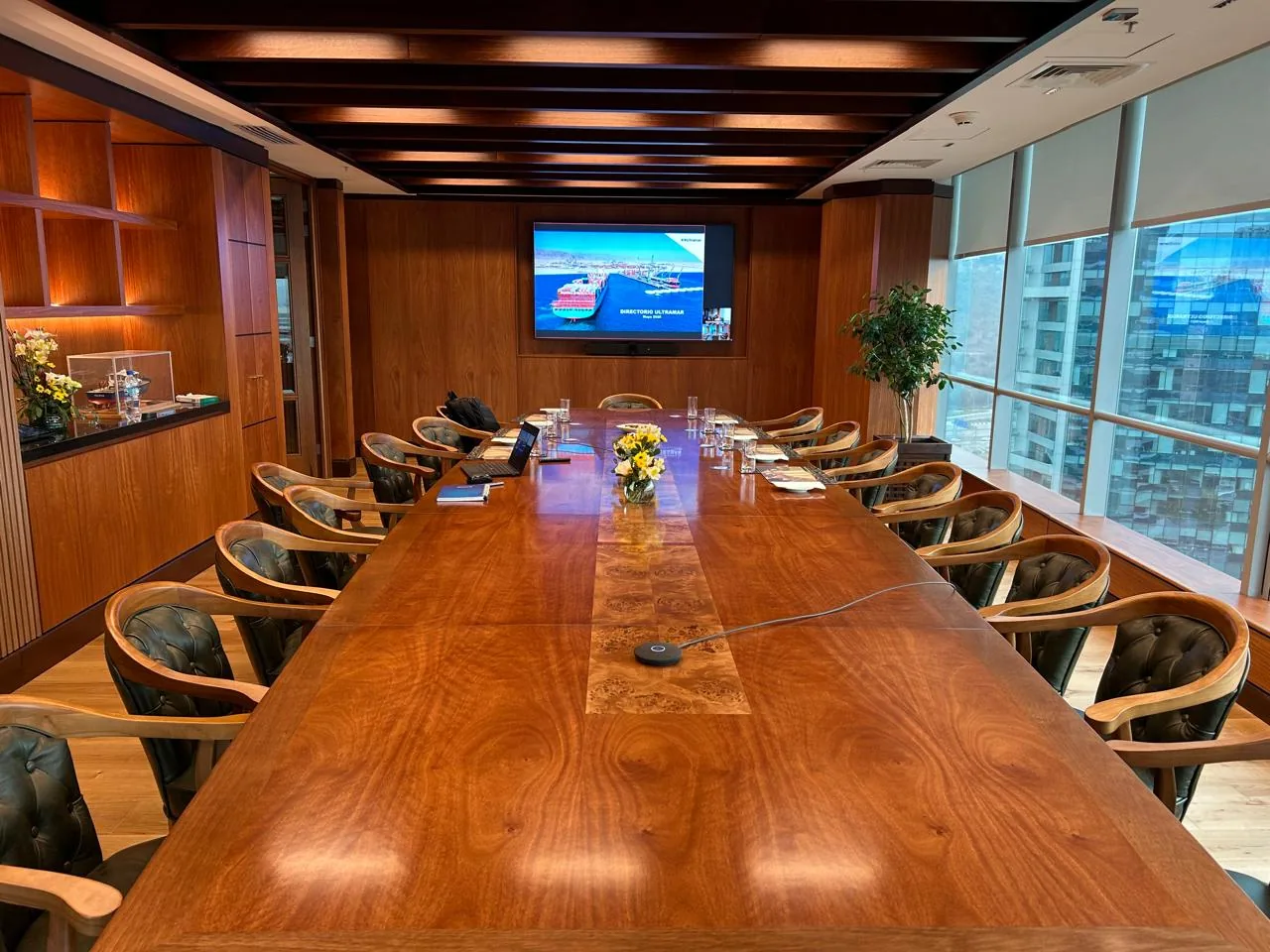
These are some of the Teams Room spaces we have designed and integrated for real clients — boardrooms, management rooms, and committee rooms across different industries.

Boardroom with integrated Teams Room — Cynersis client
Boardroom · Teams Room · Wireless presentation
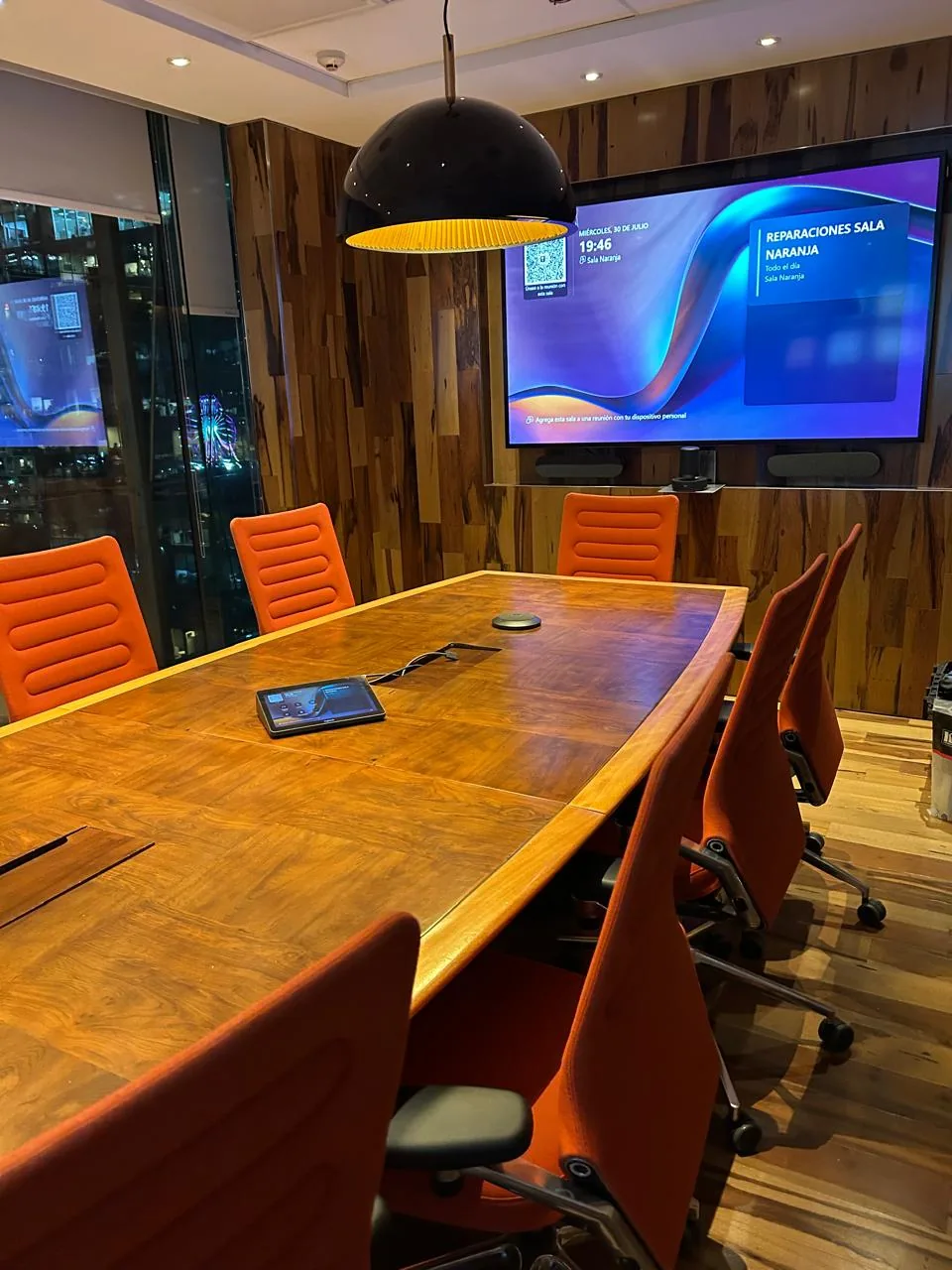
Orange Room with Neat controller and active Teams Room — Cynersis installation
Committee Room · Neat controller · Integrated tablet
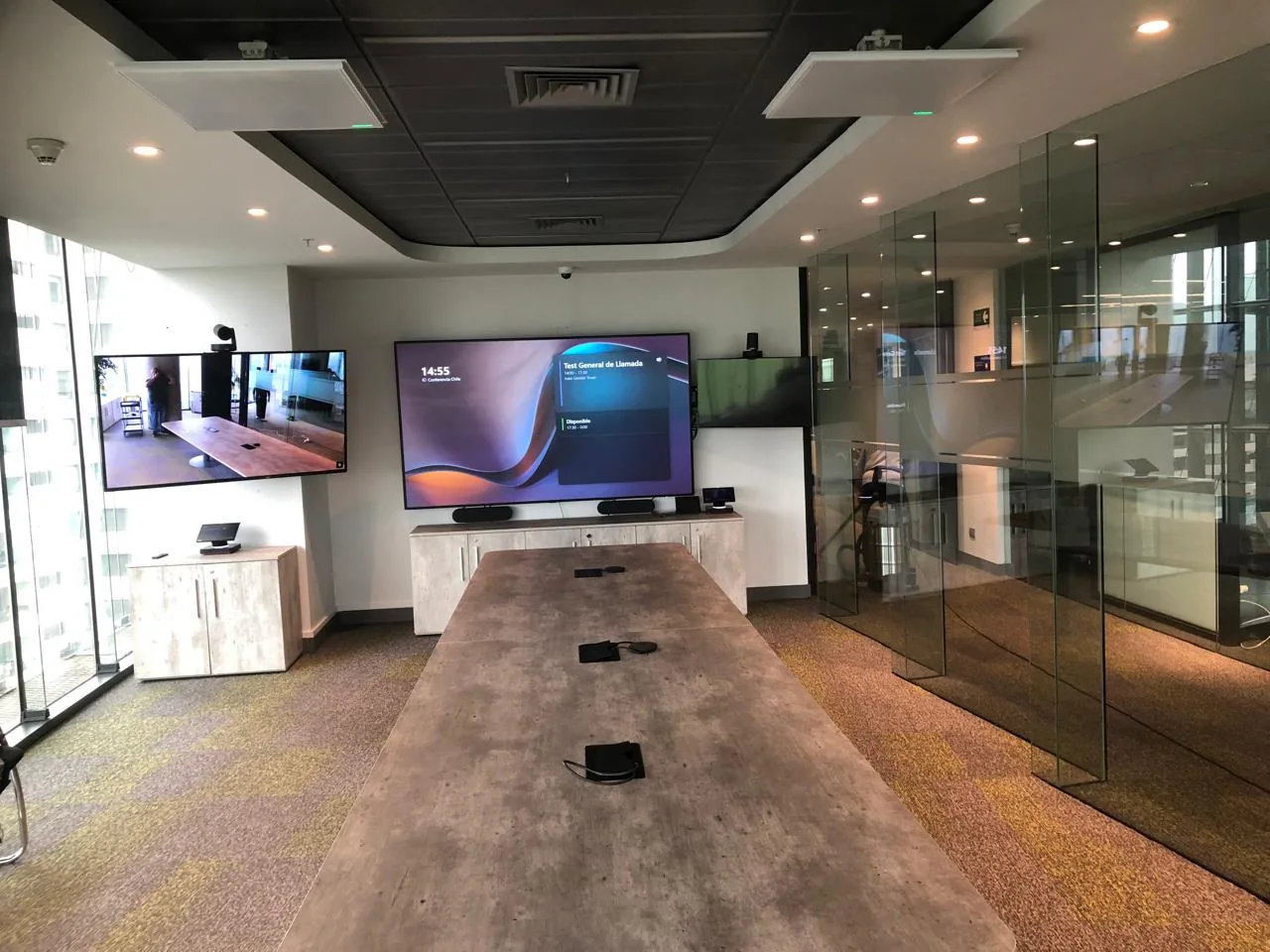
Large conference room with dual-screen Teams Room — Cynersis installation
Conference Room · Dual-screen Teams Room · Ceiling microphones · Glass walls
Equipment

Brands we integrate

We work with the leading enterprise video conferencing manufacturers — hardware certified for Microsoft Teams and Zoom Rooms.


Logitech Poly / HP Lenovo Neat Shure Yealink Sennheiser
Neat Board — video conference room Neat

Neat Bar Gen 2

All-in-one AI bar for medium rooms. Compatible with Microsoft Teams and Zoom Rooms.
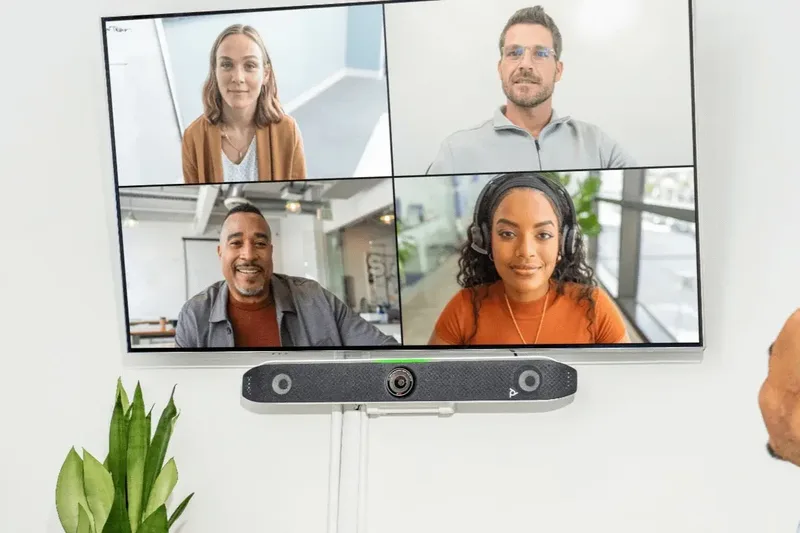
Poly Studio — video conferencing system Poly / HP

Poly Studio

Video conferencing system with automatic voice and video tracking for small and medium rooms.
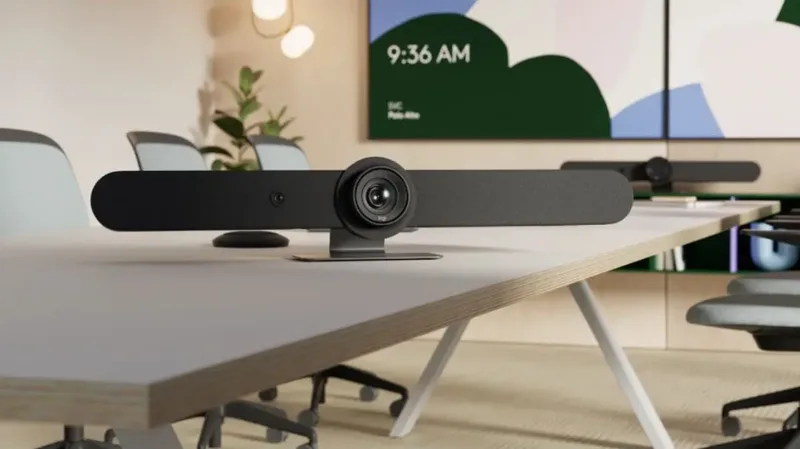
Logitech Rally MeetUp — video conferencing bar Logitech

Rally Bar and MeetUp

Teams and Zoom certified bars with PTZ camera and audio coverage for rooms of all sizes.

Why Cynersis

Design and integration — not just equipment resale

The differentiator is not the hardware — any distributor sells that. It is design judgment: choosing the configuration that matches that specific space and its actual use.

Space evaluation first

Before recommending equipment, we evaluate the room: size, participant positions, noise level, and type of meetings. The technical configuration comes from that, not from the catalog.

Real integration with Microsoft 365

We configure the room as a resource in the Teams calendar, verify Teams Room licenses, and validate that the experience is a single touch, with no intermediate steps or calls to support.

Support and continuity

29 years as a B2B technology integrator, ISO 9001 certification, and presence in Chile, Peru, and Brazil. The project does not end at delivery — we support adoption and ongoing assistance.

Process

How we implement a meeting room

01

Room survey

Space size, meeting type, typical number of participants, and presentation needs.

02

Solution design

Selection of microphones, camera, touch interface, and presentation method based on each room's actual use.

03

Installation and configuration

Hardware mounting, Microsoft 365 configuration, audio and video testing, and user experience validation.

How many rooms do you need to design or integrate?

Tell us the type of rooms, how you use them, and whether you use Teams or Zoom. We guide you at no cost.

Quote meeting room
B2B decision

A solution designed for every area involved in the decision

Cynersis provides clear information for technical teams, procurement areas, and management evaluating the investment and continuity.

IT / Infrastructure Management

Seeks native integration with Microsoft 365, a clear technical standard, and reduced reactive support burden for meeting rooms.

General Management / Board

Needs critical meetings to work from the first try, with professional image and audio when facing external clients or board members.

Procurement

Requires clarity of scope, equipment list, support modality, and comparison of alternatives before approving the investment.


FAQ

Frequently asked questions about Teams Room and Zoom Rooms

A Teams Room is a physical space equipped with Microsoft-certified hardware (camera, microphones, speakers, display, and touch interface) that allows starting Microsoft Teams meetings with a single touch, without requiring a personal computer. The room is configured as a permanent video conferencing resource.
With Teams from a laptop, each participant depends on their own audio and camera, causing echo issues, partial room coverage, and inconsistent experience. A Teams Room has microphones covering the entire table or ceiling, cameras with automatic tracking, and audio calibrated for the space, without anyone needing to connect anything.
It depends on the room size, the type of meetings held, and presentation needs. A management room requires full audio coverage with ceiling microphones; a boardroom may need table microphones and multiplatform wireless presentation. Cynersis evaluates each space and recommends the appropriate configuration.
Yes. Teams Rooms integrate natively with Microsoft 365: the room appears as a bookable resource in the calendar, shows scheduled meetings on the touch screen, and allows joining with one tap, without manually entering data.
The room can be configured with additional presentation options: HDMI cable on the table, multiplatform wireless presentation, or retractable HDMI. This way the space is available both for Teams meetings and for presentations from any device or operating system.
It depends on the number of rooms and installation complexity. A single room can be ready in one or two business days from equipment delivery. Cynersis manages provisioning, installation, Microsoft 365 configuration, and functionality testing.
Knowing the number of rooms, the approximate size of each one (small, medium, large), the type of meetings held, and whether wired or wireless presentation is needed is enough to guide a proposal. The initial assessment is free.
Depending on room size and use: PTZ or fixed cameras, video conferencing bars (such as Logitech Rally or equivalent), table or ceiling microphones, displays or projectors, and a Zoom Rooms touch controller. Cynersis recommends based on the space and budget.
Yes. Hardware compatibility with existing equipment can be evaluated, integration with corporate calendars (Microsoft 365, Google Workspace) can be set up, and Zoom Rooms can be configured on already-installed infrastructure when technically viable.
A Zoom license is for personal use (per user). Zoom Rooms is a license to equip a physical room as a permanent meeting space, with a touch controller and dedicated hardware. Both can coexist in the same organization.
Clients who trust Cynersis

Companies and institutions that have transformed their spaces with us

Enel Ultramar Agrosuper PF Alimentos Anasac Compass Group Newrest Honda Motors Mall Marina Amicar Belfi China Rail Círculo Verde Enfragen Prime Energy Indura Empresas Melón Zoetis Veterquímica Molinera San Cristóbal Carabineros de Chile Naciones Unidas Universidad Andrés Bello UDLA Universidad Santa María Instituto AIEP Universidad de Talca Stars Investment
Commercial contact

Quote or assess your meeting rooms

Tell us how many rooms you need to integrate, their approximate size, the type of meetings, and whether you use Teams or Zoom. With that information we provide a technical proposal at no cost.

  • 29 years as a B2B technology integrator · ISO 9001 certification.
  • Real Teams Room and Zoom Rooms cases implemented in Chile · Design and integration.
  • Presence in Chile, Peru, and Brazil · Free assessment with no commitment.
  • Data used solely to respond to this request.

Your data will be used solely to respond to this commercial request.